FD
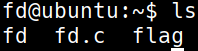
fd是编译好的可执行二进制文件。
fd.c 是源文件查看:
#include <stdio.h>
#include <stdlib.h>
#include <string.h>
char buf[32];
int main(int argc, char* argv[], char* envp[]){
        if(argc<2){
                printf("pass argv[1] a number\n");
                return 0;
        }
        int fd = atoi( argv[1] ) - 0x1234;
        int len = 0;
        len = read(fd, buf, 32);
        if(!strcmp("LETMEWIN\n", buf)){
                printf("good job :)\n");
                setregid(getegid(), getegid());
                system("/bin/cat flag");
                exit(0);
        }
        printf("learn about Linux file IO\n");
        return 0;

}*int atoi(const char str)可以查看此文章
就是将输入的值取整。该函数返回转换后的长整数,如果没有执行有效的转换,则返回零。
0x1234 是十六进制,因为有0x或0X。
read() 这行代码调用的是 Linux/Unix 系统提供的 系统调用 read,原型如下:
#include <unistd.h>
ssize_t read(int fd, void *buf, size_t count);
从文件描述符 fd 所指向的“文件”(可以是普通文件、管道、socket、终端等)中尝试读取最多 count 个字节,放入用户态缓冲区 buf 中。
0=stdin, 1=stdout, 2=stderr, 3+=open()返回
不同 fd 时的具体行为(重点):
| fd 值 | 对应的资源 | read() 行为举例 |
|---|---|---|
| 0 | 标准输入 (stdin) | 通常连接到终端键盘 |
| → 没输入时阻塞等待 | ||
| → 用户输入后回车 → 返回实际字节数(含 \n) | ||
| → 用户按 Ctrl+D → 返回 0(EOF) | ||
| 1 | 标准输出 (stdout) | 几乎永远不能读,返回 -1,errno=EBADF(坏的文件描述符) |
| 2 | 标准错误 (stderr) | 同上,不能读 |
| 3+ | open() 返回的 fd | 取决于打开的是什么文件/管道/socket |
所以解题思路:
当!strcmp(“LETMEWIN\n”, buf)为0时,也就是buf=LETMEWIN\n时,才能得到flag
len = read(fd, buf, 32);fd要等于0才能从终端输入字符。
所以fd = atoi( argv[1] ) - 0x1234;所以atoi( argv[1] ) = 0x1234
./fd 4660
LETMEWIN
FD
fd is a compiled executable binary file.
The source file fd.c is as follows:
#include <stdio.h>
#include <stdlib.h>
#include <string.h>
char buf[32];
int main(int argc, char* argv[], char* envp[]) {
    if (argc < 2) {
        printf("Please pass a number as an argument.\n");
        return 0;
    }
    int fd = atoi(argv[1]) - 0x1234;
    int len = 0;
    len = read(fd, buf, 32);
    if (!strcmp("LETMEWIN\n", buf)) {
        printf("Good job!\n");
        setregid(getegid(), getegid());
        system("/bin/cat flag");
        exit(0);
    }
    printf("Learn about Linux file input/output.\n");
    return 0;
}
The atoi() function can be learned more about. It converts a string to an integer. If the conversion is not successful, it returns 0.
The value 0x1234 is in hexadecimal format (indicated by the 0x prefix).
The read() function is a system call provided by Linux/Unix. Its prototype is:
#include <unistd.h>
ssize_t read(int fd, void *buf, size_t count);
It attempts to read at most count bytes from the file specified by the file descriptor fd and stores them in the user-space buffer buf.
0: Standard input (stdin): Usually connected to the terminal keyboard.- If no input is provided, it blocks until the user presses Enter.
- After the user enters a value and presses Enter, the function returns the number of bytes read (including the
\ncharacter). - If the user presses Ctrl+D, it returns 0 (indicating the end of the file).
1: Standard output (stdout): Almost always returns-1witherrno = EBADF(invalid file descriptor).2: Standard error (stderr): Similar tostdout, it cannot be read.3+: The file descriptor returned byopen(): The behavior depends on the type of file/pipe/socket that was opened.
Solution approach:
The program checks if buf contains the string LETMEWIN\n. If it does, it retrieves the flag value by executing the system("/bin/cat flag") command.
The read() function is used to read a string of up to 32 bytes from the standard input (stdin). The file descriptor fd must be set to 0 to read from the terminal.
Therefore, the expression fd = atoi(argv[1]) - 0x1234 is used to calculate the correct file descriptor value.
Example usage:
./fd 4660
LETMEWIN